
Remember that only the current reporter can transfer the reporting role.
How to transfer responsibility:
Step 1. Go to "Financial Institution" in the menu
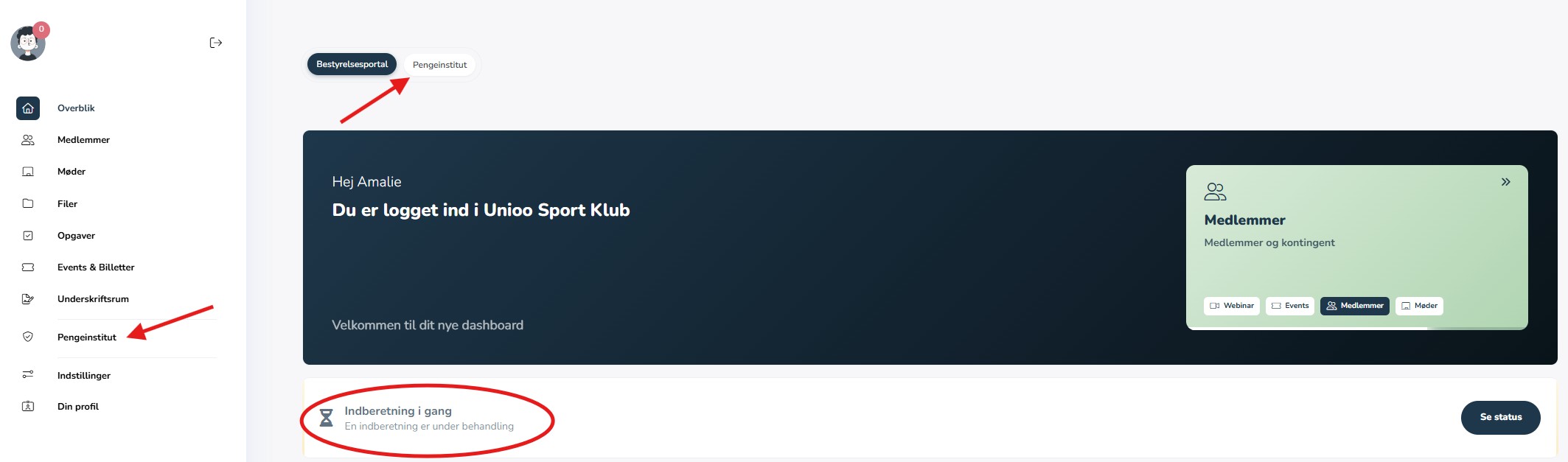
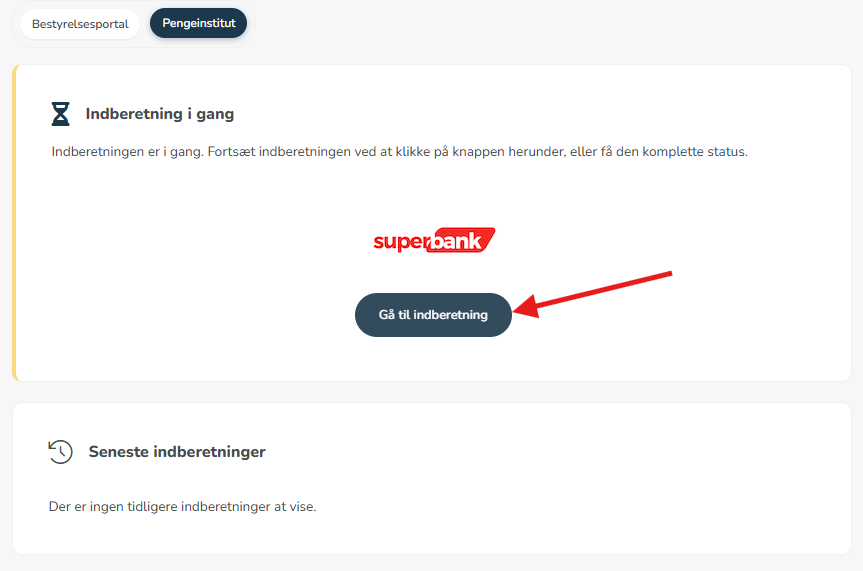
Then "go to report"
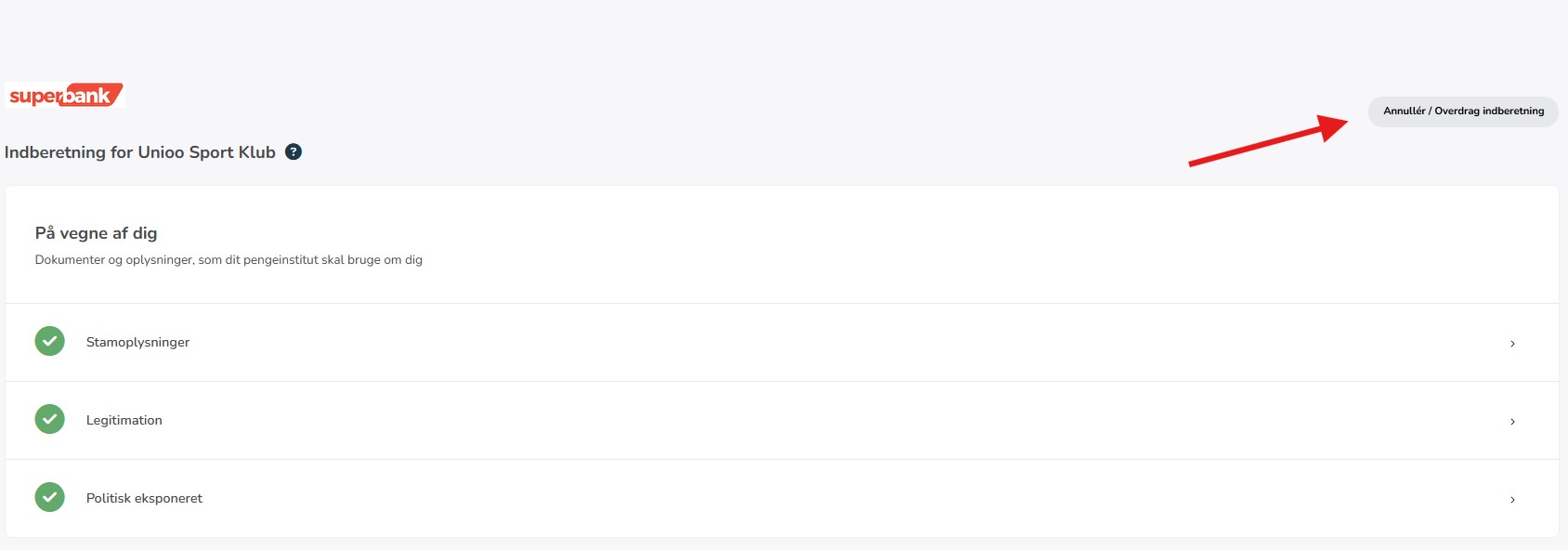
Step 2. Click on "Cancel/Transfer Report" at the top right
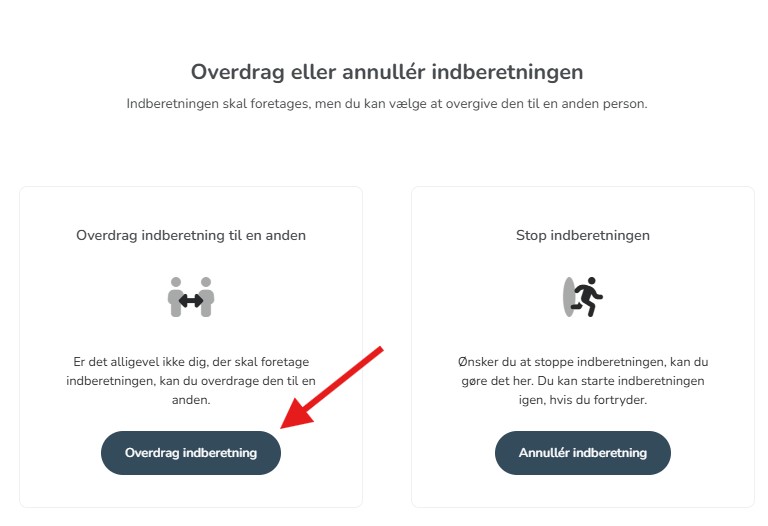
Step 3. Select "Transfer Report" (left button)
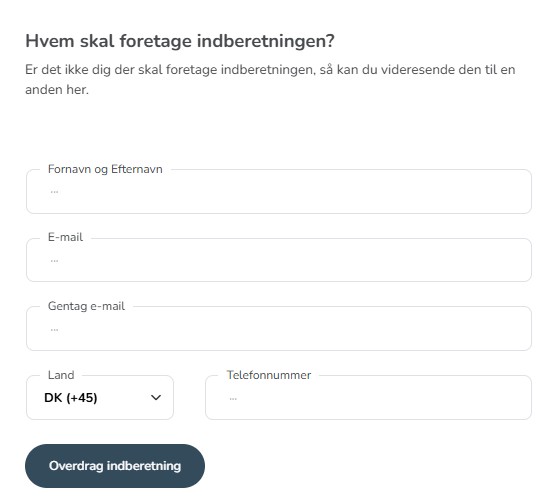
Step 4. Select new reporter:
- First report: Enter name, email and phone number of the new reporter
- From second report: Choose from already created board members
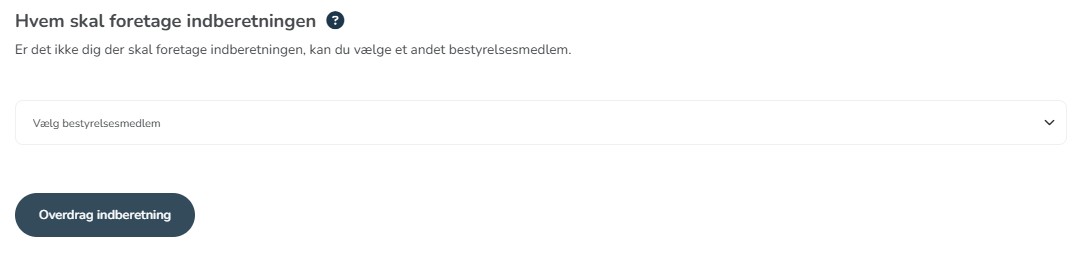
Step 5. Click "Transfer Report"
The new reporter will then receive an SMS and email with a link to take over the responsibility.