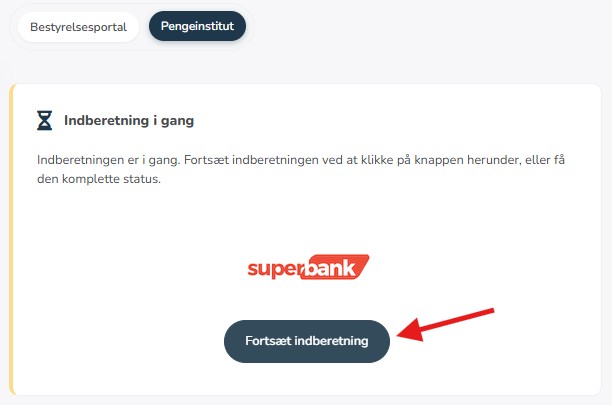
Access the report on PC
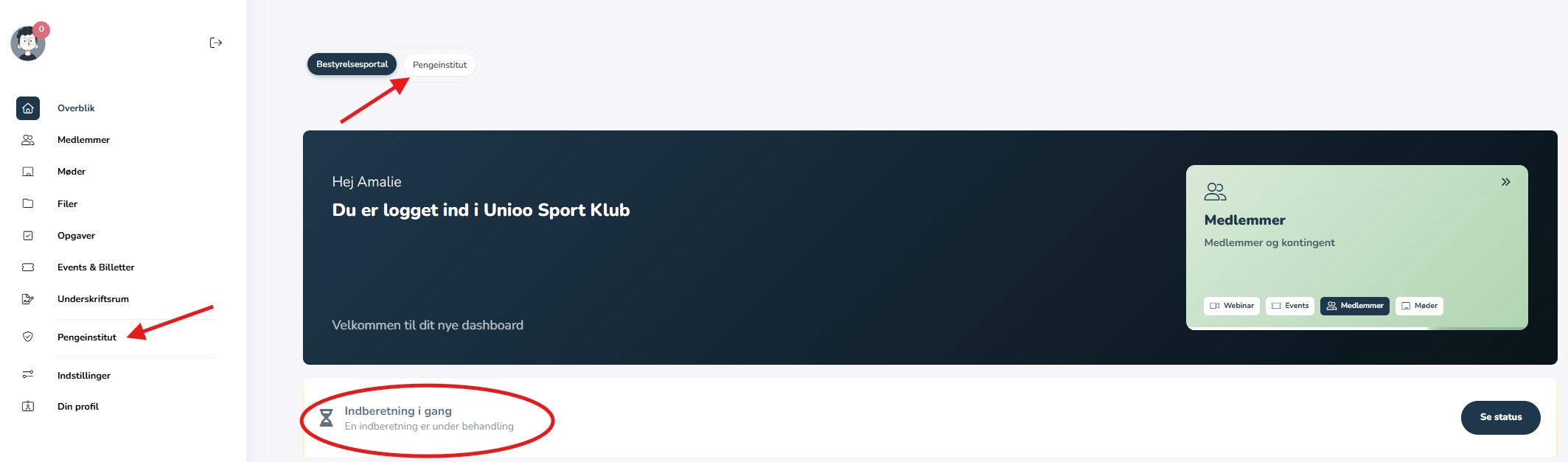
When you are logged into your user profile in Unioo, you can find the report either under "Report in progress" - this will be named "Association up to date" if you are not currently working on a report - on the homepage.
You can also find the report in the left-hand menu by clicking on "Financial Institution":
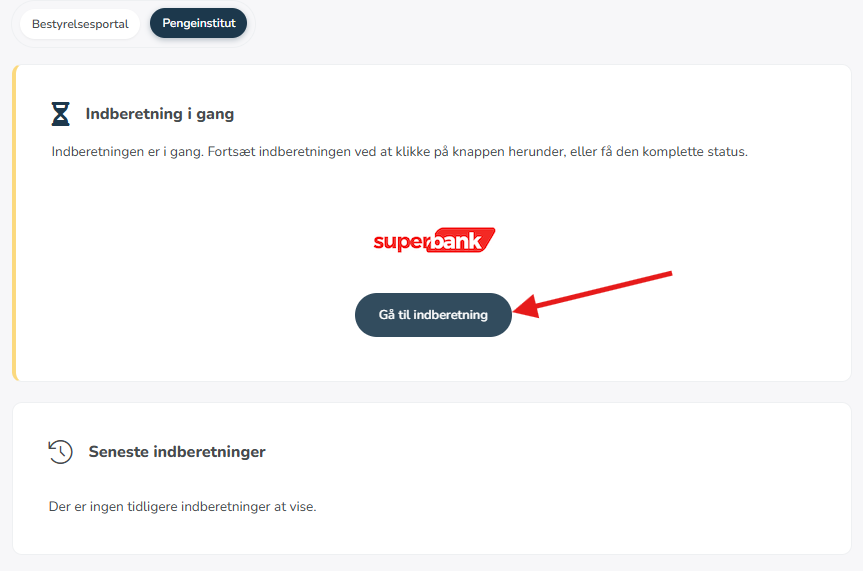
Here you can see various information regarding the association, and you can access the report:
Access the report on mobile
On a mobile phone, the report is found in the menu at the bottom of the screen under "financial institution" or under "report in progress":
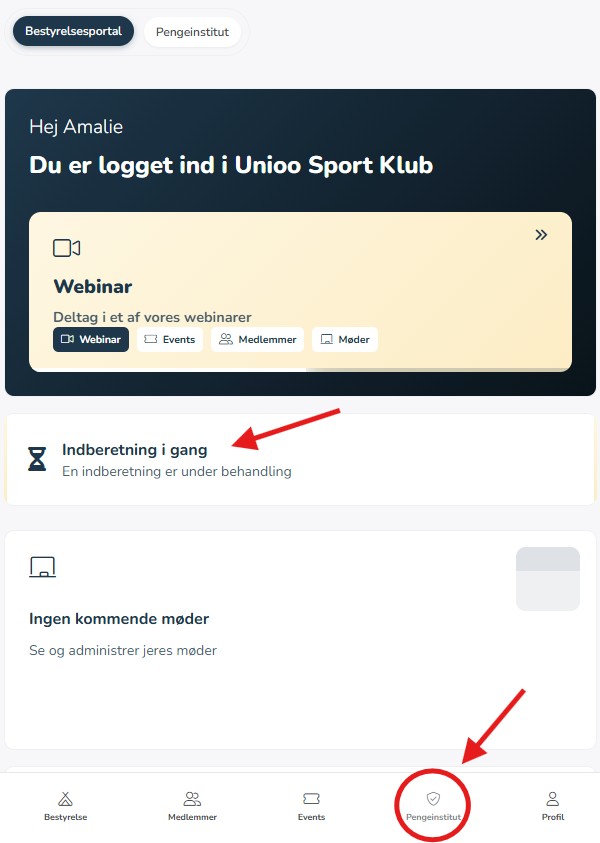
Under "financial institution" you can view information about the association in relation to the financial institution and proceed to the report.