
Check the basics first
Before you reset your password, please check the following:
- Verify that you are using the correct email address and that it is spelled correctly.
- Check that your password meets the requirements: at least 8 characters including both numbers and upper/lower case letters
- Ensure you distinguish between upper and lower case letters
- Check that Caps Lock is not active.
How to reset your password in Unioo
If the above does not solve the problem, you can reset your password:
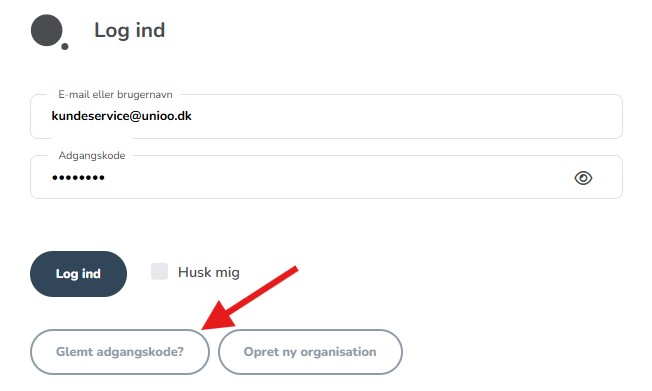
- Go to the login page and click on "Forgot password?"
- Enter the email address you used to create your Unioo account.
- Follow the instructions to have a reset link sent to your email.
Not receiving the reset email?
If the email has not arrived in your inbox:
- Wait a moment; the email may be delayed.
- Check your spam filter and any sorting folders (e.g., promotions, junk, social).
- Search for "Unioo" in your email client to find the email quickly.
- Check that your email is entered correctly in the system:
- If you are a board member: Ask another member to check your contact details.
- If you are a regular member: Contact the association, as they can check your email in the member overview.
Contact support
If none of the above steps solved the problem, you are welcome to contact us:
📞 Call Unioo at 55 55 66 10