
In Unioo, there are two ways to choose between your associations if you are a member of several.
At the top right corner
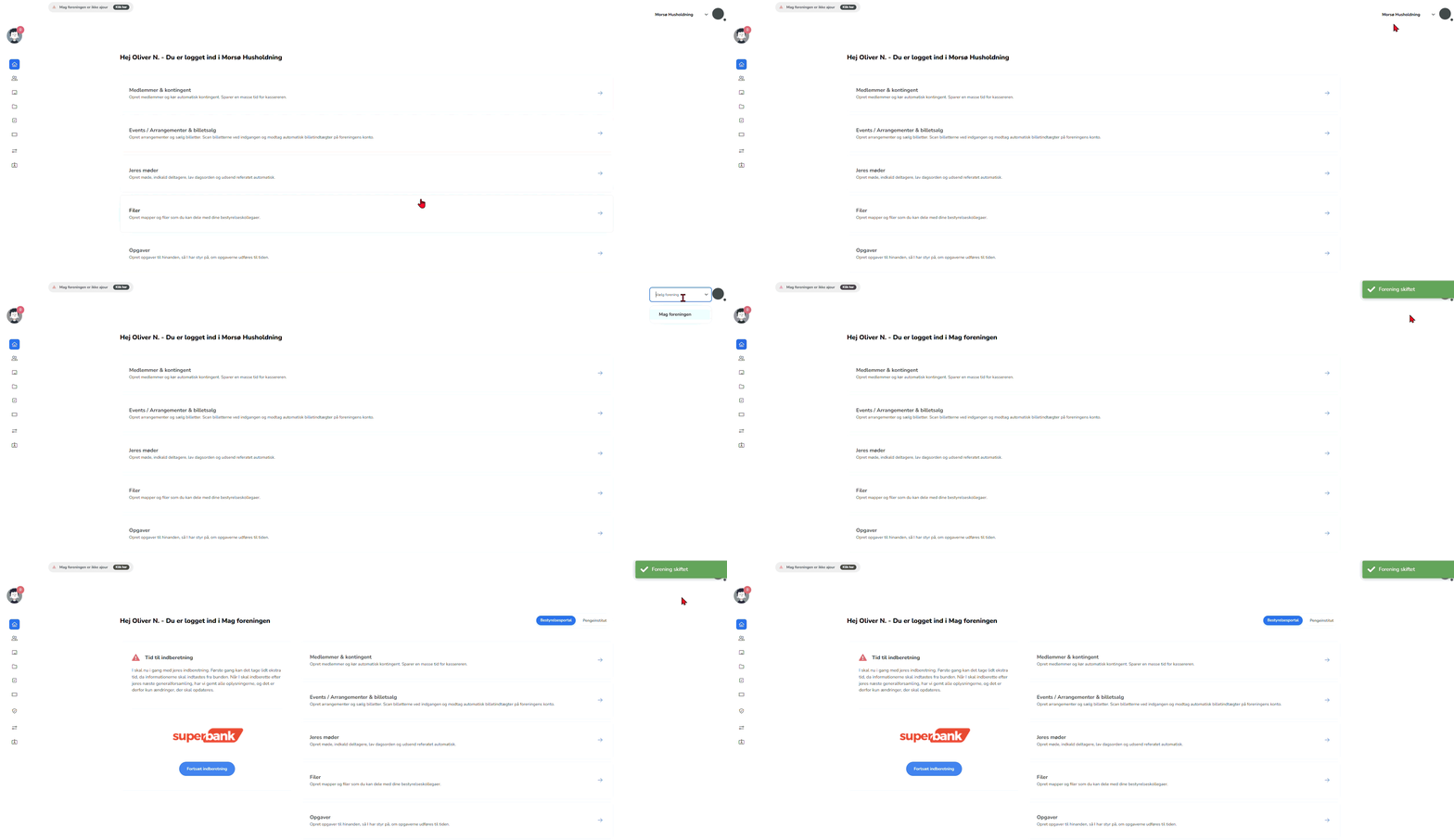
When you are logged in, you can see the name of the association you are logged into in the top right corner. If you click on the name, a dropdown menu opens where you can choose between the associations you are affiliated with.
Do it through "Your Profile"
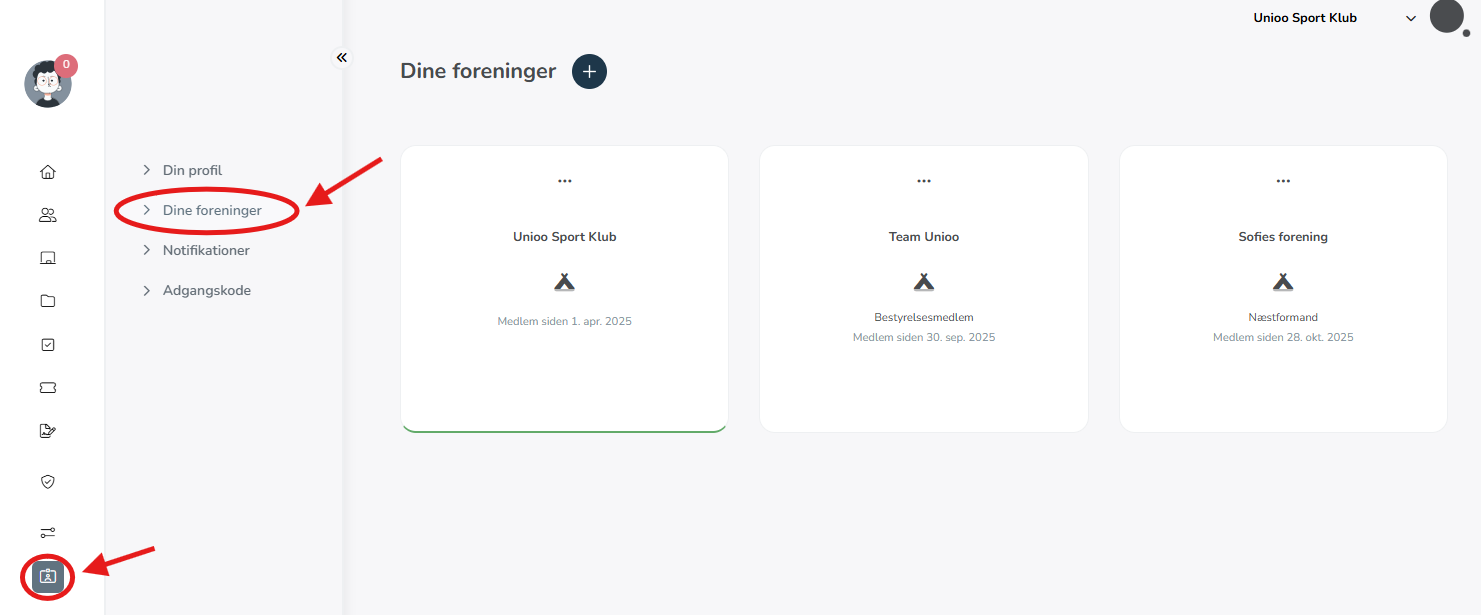
By going to Your Profile and then Your Associations, you get an overview of the associations you are a member of. Here you can also choose which association you want to perform actions in.
Remember: The green line under the association shows which association is currently selected.