
You can only change contact information for board members who have not yet registered in the system.
If the person has already registered, they must update their own information in their profile.
When is this relevant?
The function is typically used when you discover that a board member has received the invitation at an incorrect email address, or the email address contains an error that prevents them from registering.
How to change contact information
- Go to "Reporting" in the menu on your user profile
- Click on "View status"
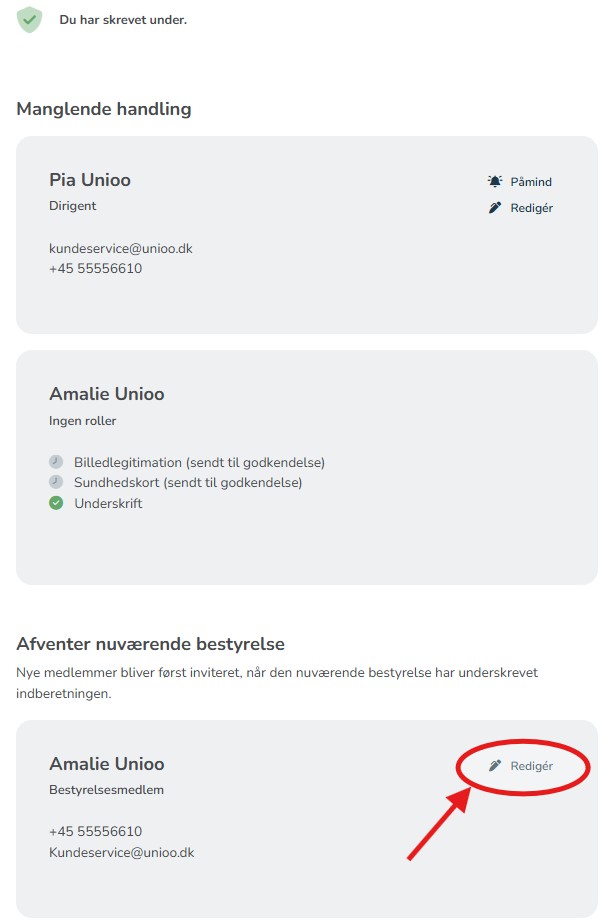
- Find the relevant board member in the overview - it will say "Not registered" next to the name
- Click "Edit" next to the person
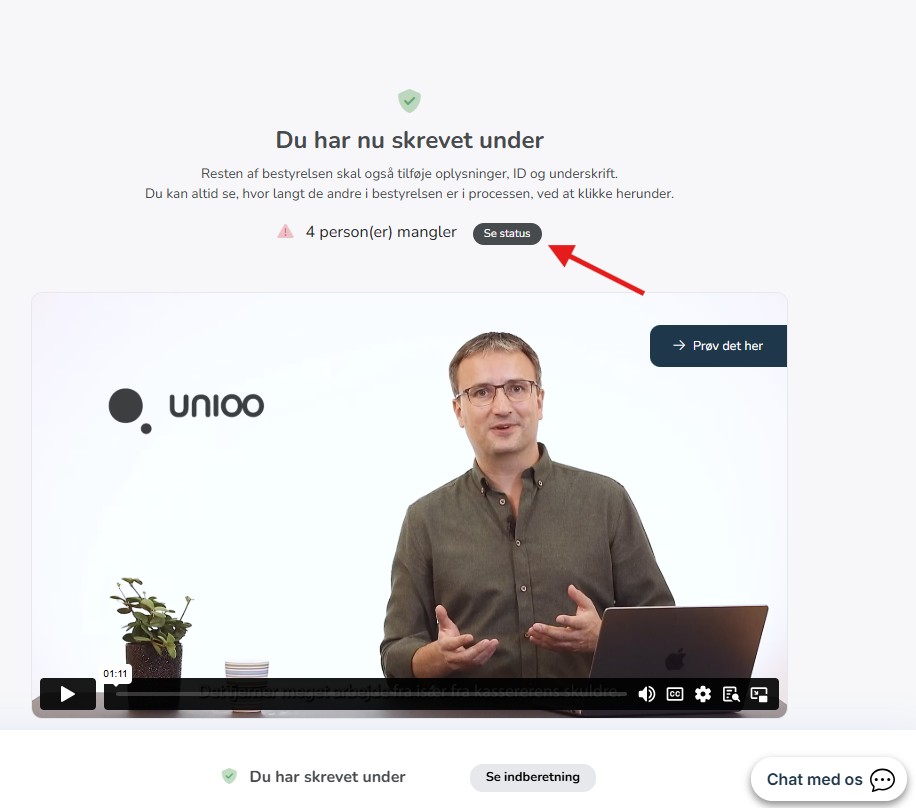
In the overview, you will be able to see both board members who are registered, as well as those who are not yet registered and can be edited.
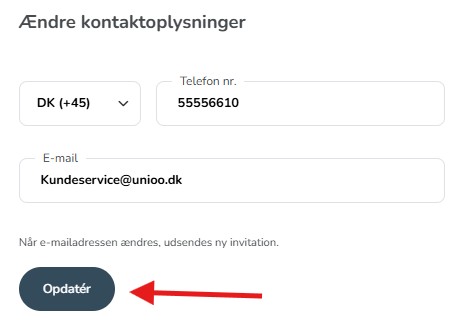
Update the contact information in the window that appears, and remember to press 'Update' to save the changes.
What happens now?
The system automatically sends a new invitation to the updated email address.
Note: If there are still members from the old board who have not signed, the person will only receive the invitation once everyone from the old board has signed.