
Add people with account access
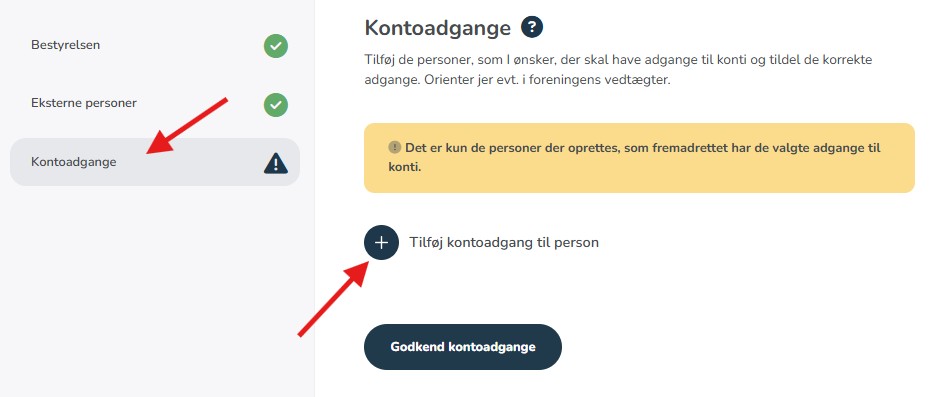
Click the plus icon to add people. Select from the dropdown menu among all registered board members and any external persons.
Select access level
For each person, select their access level:
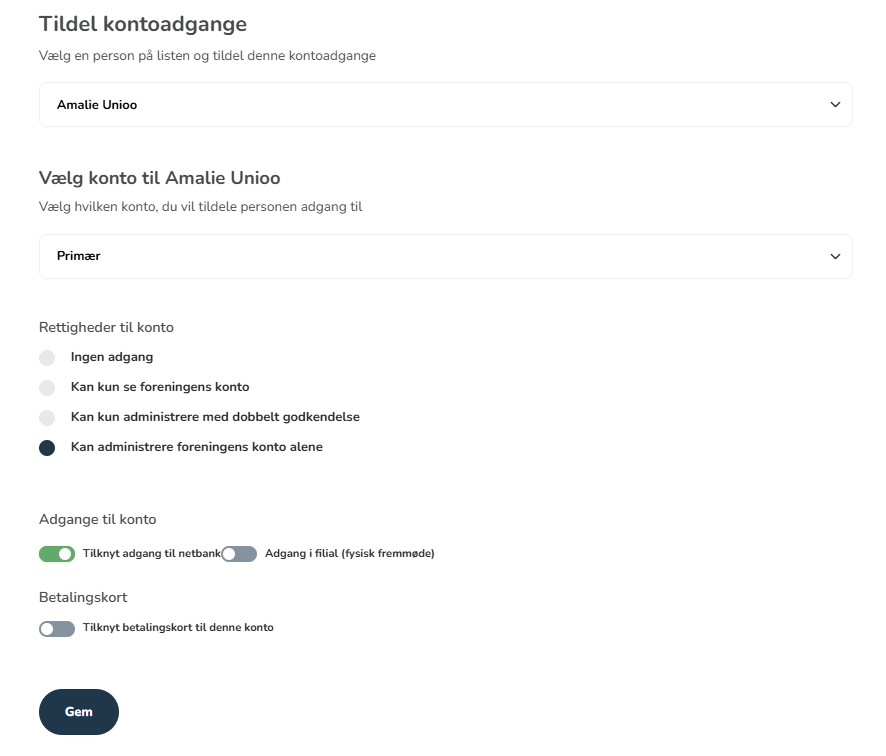
- No access - The person can neither view nor act on the account.
- Can only view the association's account - "View-only access" without the ability to perform transactions. Suitable for auditors.
- Can only administer with dual approval - All actions require approval from another person. Requires at least two people with this authorization.
- Can administer the association's account - Full access to independently act on the account. Typically for the treasurer.
After selecting the access level, a series of rights with gray bars will appear. Click on those necessary for your organization so they turn green/selected; you must choose at least one right. Then click "Save".
Multiple accounts?
If the association has multiple accounts, assign access to one account at a time and click "Add account" in the field for the person who needs access to more than one account, once the first account has been assigned.
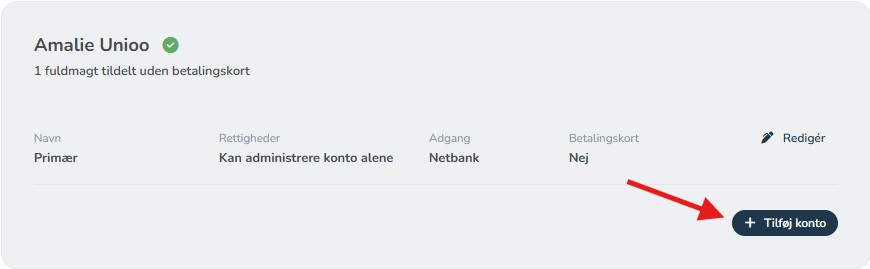
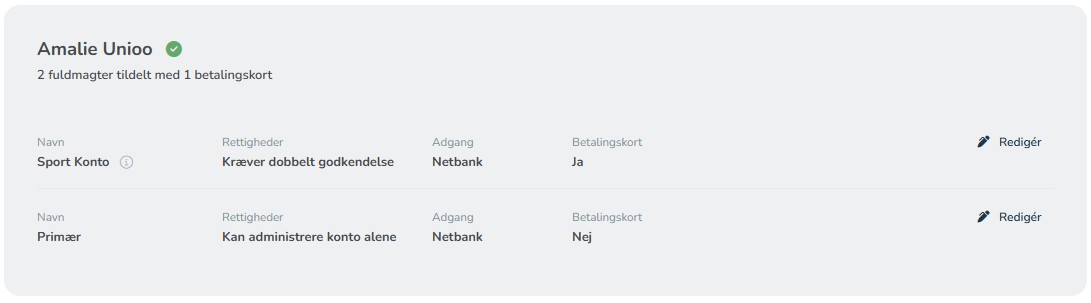
Once you have assigned an account, it will appear under the person's name with the selected account accesses.
Finish
When everyone has been granted the correct accesses, review the overview and click the blue button "Approve account accesses" at the bottom.