
People/The Board
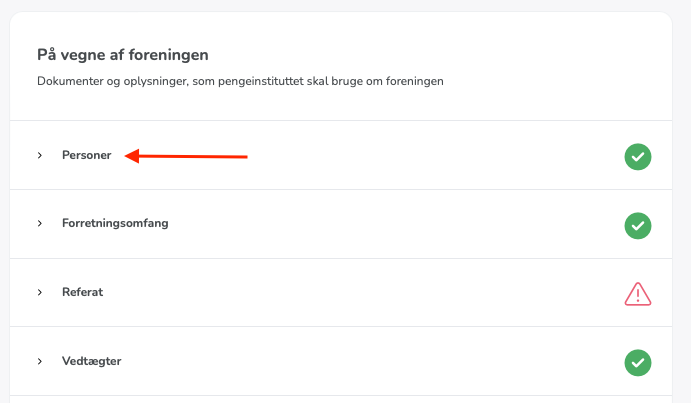
Open the report in Unioo and click the first item under "On behalf of the association", which is called "People":
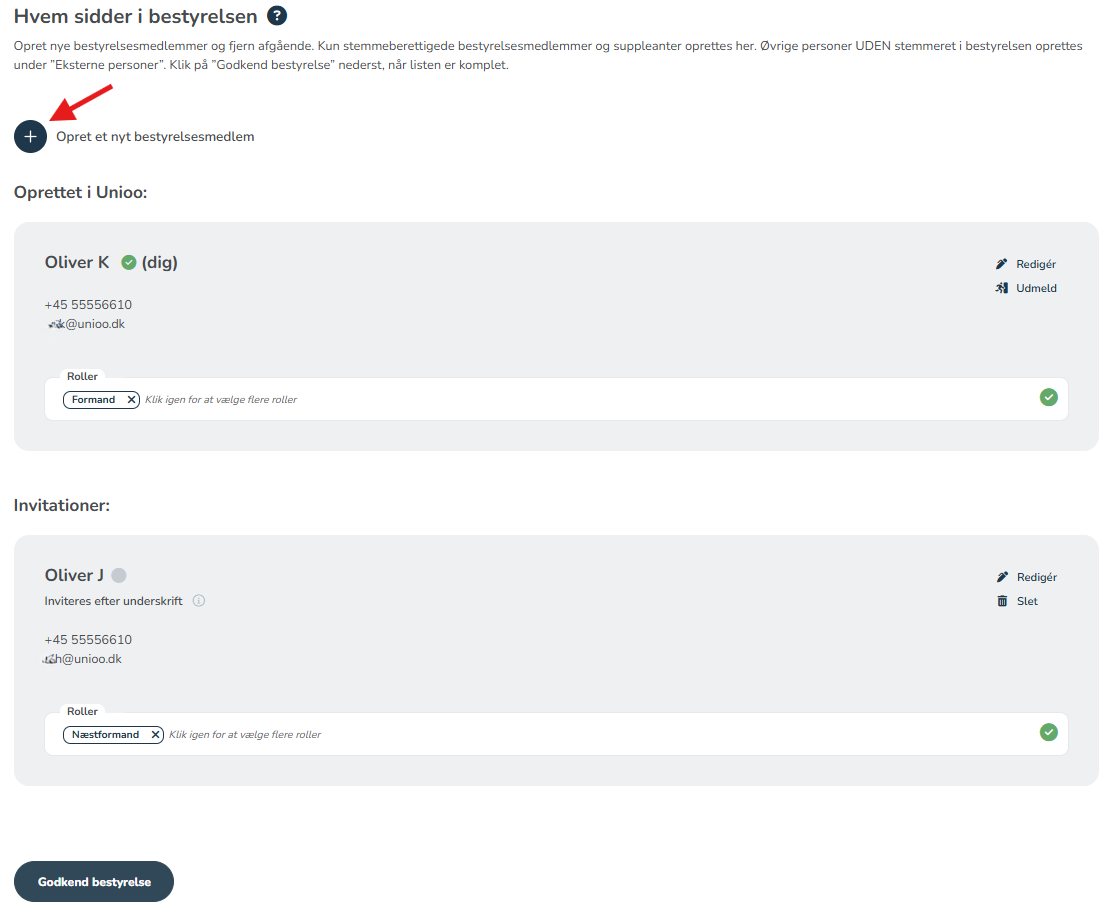
Who is on the board
Once you are in the people section, you will first enter "The Board". Here you must create all board members one by one. You create a board member by clicking "+ create a new board member".
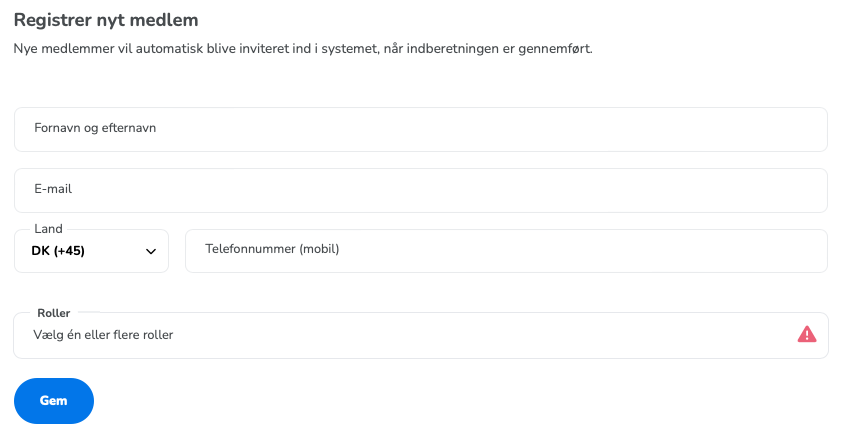
Register new member
To create a board member, you must provide their full name, email address, mobile number, and their role on the board.
If roles need to be changed later, you can find the "Roles" item under the board member's name, where you can add or remove roles for the member.
If external persons need to be registered in your association, you can read more about the process by clicking here.