
If your association has changed the date of the general meeting, you can easily update the general meeting month directly in Unioo. It takes only a moment and can be done both from a computer and mobile.
On computer
Start on the overview page in Unioo.
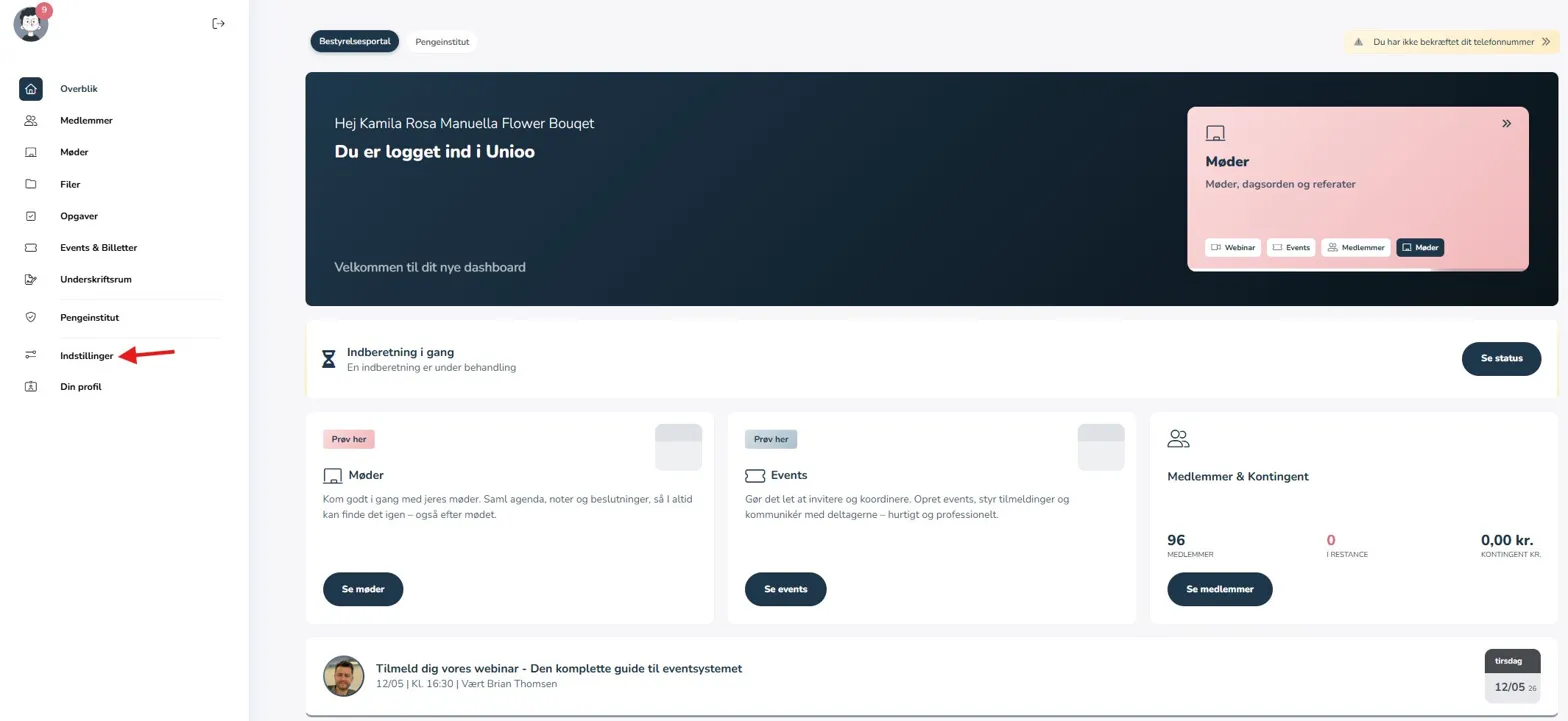
Move the mouse to the left side so the menu opens, and click on "Settings".
Under settings, you will find the section "Important elements from the bylaws". Here you can change the general meeting month in the dropdown menu. Remember that if you cannot see the field, you may need to scroll down a bit.
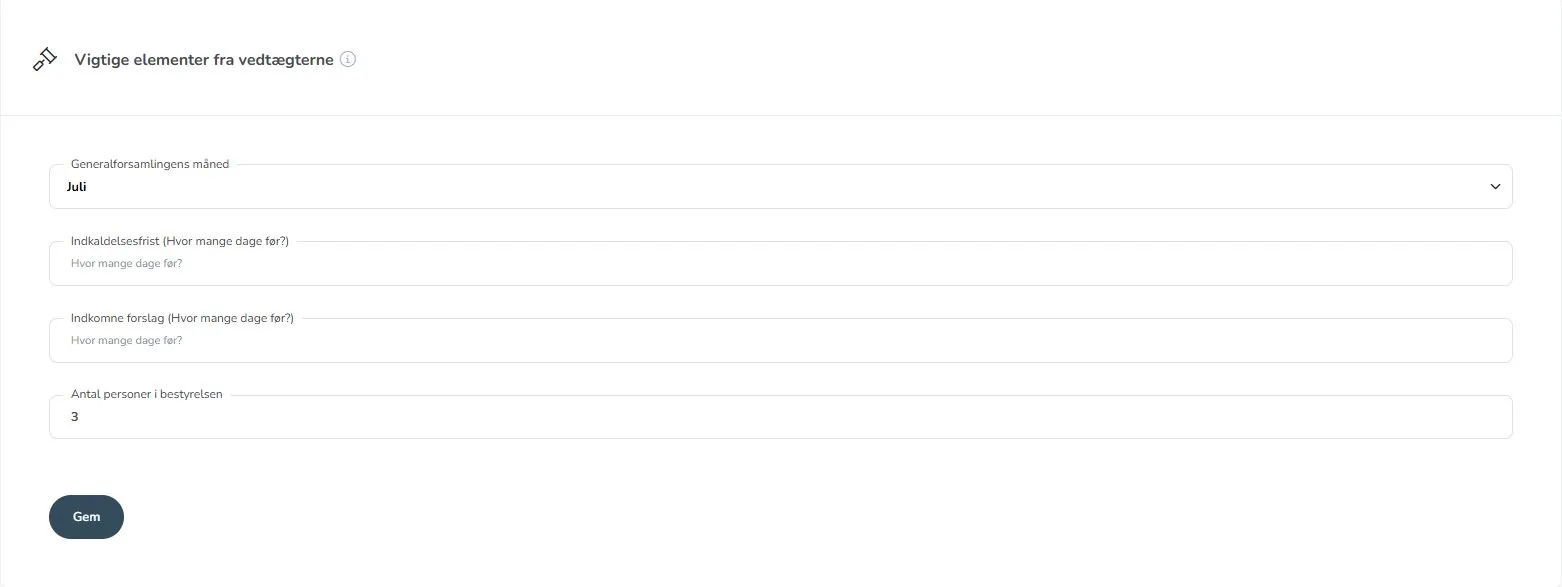
Select the desired month and click "Save".
On mobile
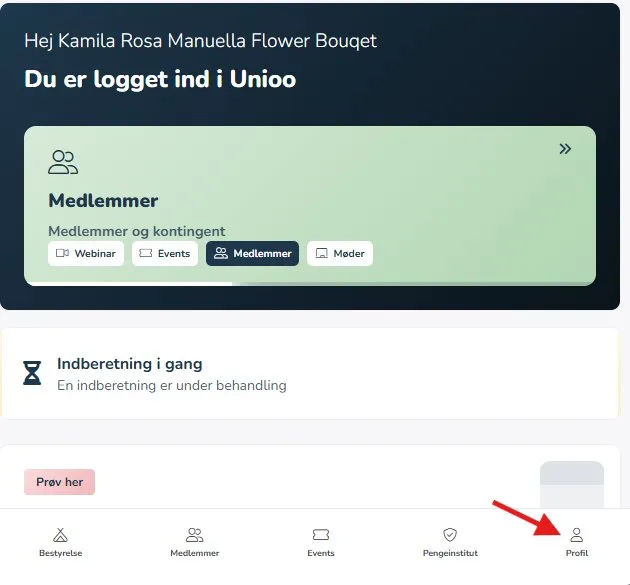
Tap "Profile" in the bottom right corner.
Then select "Settings" in the menu.
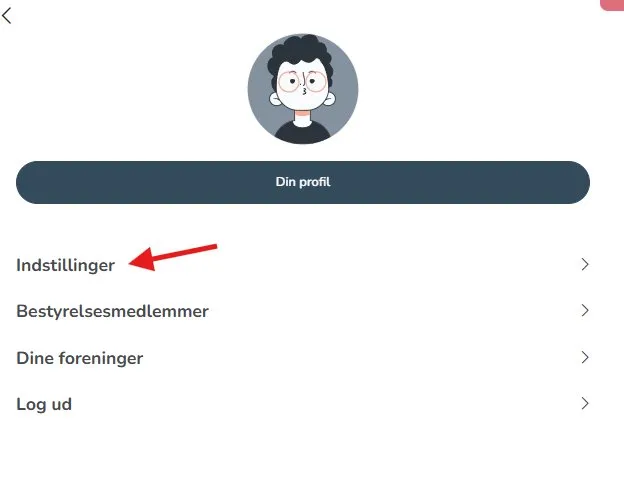
Scroll down to the section "Important elements from the bylaws".
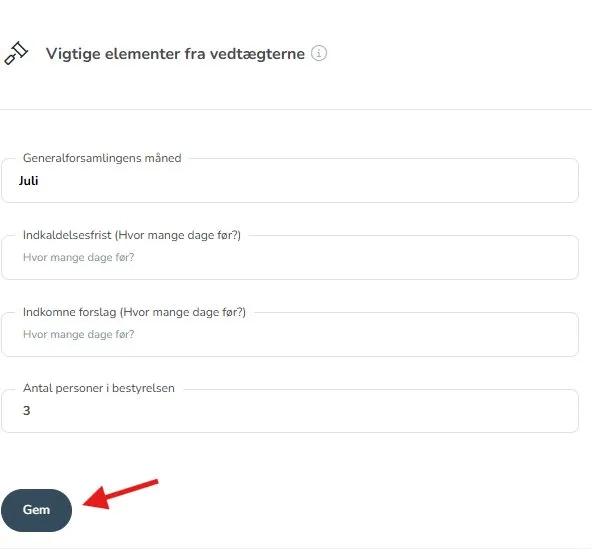
Here you can select the new general meeting month and tap "Save".
When does the change take effect?
It depends on where you are in the reporting process.
If you have not yet received reminders about reporting before changing the general meeting date, the change takes effect already at your next general meeting.
This ensures that your reporting and reminders match your actual general meeting. In this way, you avoid reminders at times that do not correspond to your set general meeting month.
Example: If your general meeting is set to March, reminders will typically be sent at the beginning of April.